Policy Guidance
DMARC tells receiving services whether failed mail should be monitored, quarantined or rejected, depending on policy.

Email Security
DMARC works with SPF and DKIM to help protect your domain from spoofed email. KitCloud uses Cloudflare DMARC Management for hosted email domains.
Plain English
DMARC stands for Domain-based Message Authentication, Reporting and Conformance. It is the policy layer that sits above SPF and DKIM.
SPF checks whether the sending server is allowed. DKIM checks whether the message has a valid signature. DMARC looks at those checks and the visible From domain, then tells receiving mail services what should happen when messages do not pass properly.
For a business, DMARC is useful because it helps reduce impersonation. If someone tries to send mail pretending to be from your domain, DMARC gives receiving mail services clearer instructions about how to treat it.
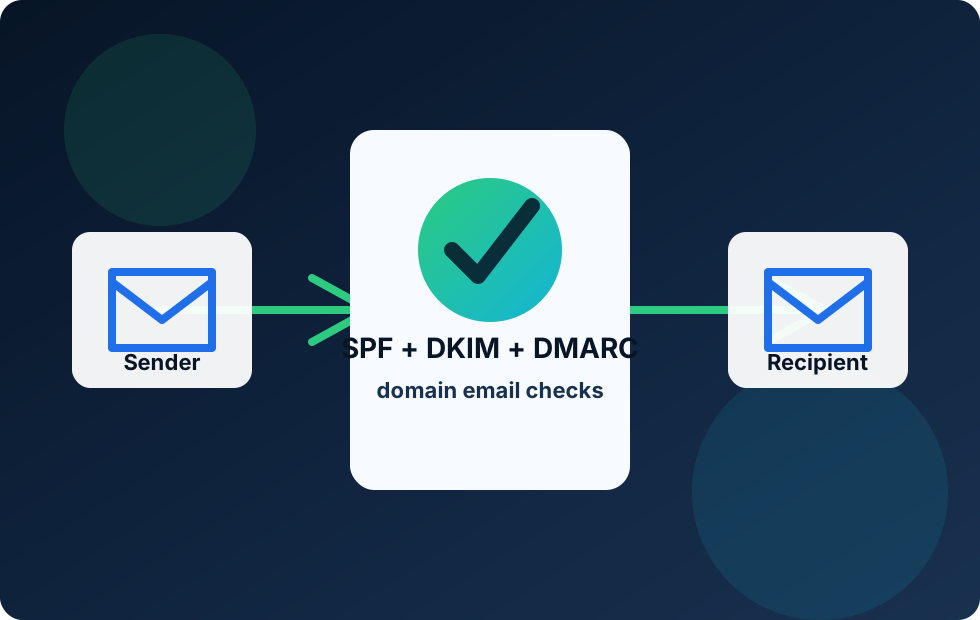
Cloudflare DMARC Management
DMARC is not just a DNS record. It also creates reports that help show who is sending mail for a domain.
DMARC tells receiving services whether failed mail should be monitored, quarantined or rejected, depending on policy.
DMARC reports help reveal legitimate and suspicious sending sources using your domain.
DMARC helps protect your brand domain from being used in forged messages.
DMARC is the policy layer for domain email. SPF and DKIM each answer a technical question. SPF asks whether the sending server is allowed. DKIM asks whether the message has a valid domain signature. DMARC brings those checks together and compares them with the visible From address that the recipient sees.
This visible From address matters. It is the address normal people look at when deciding who sent the email. Without DMARC, a message might pass a technical check using one domain while visually pretending to be from another. DMARC helps close that gap by asking whether the authentication result aligns with the domain in the From address.
The formal DMARC specification is published as RFC 7489. For everyday use, the important idea is simple: DMARC lets a domain owner publish a policy for messages that fail authentication and receive reports showing who is sending mail for the domain.
A DMARC record is normally a DNS TXT record published at a special place under the domain, usually _dmarc.example.com. A simple record might start with v=DMARC1, which identifies it as DMARC. It then includes a policy, such as p=none, p=quarantine or p=reject.
The policy tells receiving mail services what the domain owner wants to happen when messages do not pass DMARC. A monitoring policy, p=none, asks receivers to report results but not block based on DMARC alone. A quarantine policy tells receivers that failing mail should usually be treated as suspicious. A reject policy tells receivers that failing mail should normally be rejected.
Many businesses start with monitoring because it allows the domain owner to see what is happening before stronger enforcement is used. That is sensible. A business may have legitimate mail coming from places it forgot about: a booking platform, an old contact form, a helpdesk system, a newsletter tool or accounting software. DMARC reports help identify those sources so they can be configured properly.
DMARC records can also include reporting addresses. Aggregate reports show sending sources and authentication results in bulk. They are not written like normal emails, so a reporting and management service is useful. This is why KitCloud uses Cloudflare DMARC Management for hosted email domains.
Alignment is the part of DMARC that often confuses people. It means the authenticated domain should match, or be closely related to, the domain shown in the visible From address. If a message says it is from [email protected], DMARC wants SPF or DKIM to authenticate in a way that lines up with example.com.
SPF alignment checks the domain used in the return path. DKIM alignment checks the domain inside the DKIM signature. A message only needs one of those routes to pass DMARC, as long as the result aligns with the visible From domain. In practice, DKIM is often very important because it can survive forwarding more reliably than SPF.
Alignment is what makes DMARC valuable for brand protection. It is not enough for some random technical domain to pass an authentication check somewhere in the message path. DMARC asks whether the domain the recipient sees is actually backed by SPF or DKIM.
DMARC helps reduce domain impersonation. If someone tries to send email pretending to be from a business domain, DMARC gives receiving mail services clearer instructions for handling that mail. Without DMARC, receivers may still make their own judgement, but the domain owner has not published a clear policy.
For a small business or organisation, this matters because trust is part of the service. Customers may receive invoices, password resets, appointment updates, support replies or payment instructions by email. A spoofed message can damage trust even if the business did nothing wrong. DMARC helps the domain owner take a more active role in protecting the domain from being misused.
DMARC also improves visibility. Before DMARC reporting, many businesses have no clear picture of every service sending mail for their domain. Reports can reveal legitimate tools, forgotten systems and suspicious sending sources. That makes DMARC useful not only as a blocking policy, but also as a discovery and housekeeping tool.
DMARC does not block every bad email on the internet. It focuses on whether messages claiming to be from your domain pass SPF or DKIM alignment. It does not inspect every attachment, link or conversation for scams.
DMARC also cannot fix broken SPF or DKIM by itself. If legitimate services are sending without proper authentication, a strict DMARC policy can cause delivery problems. That is why DMARC should be introduced carefully. The best path is usually to confirm SPF and DKIM first, monitor DMARC reports, fix legitimate senders and then consider stronger enforcement.
DMARC also protects the domain being checked, not every lookalike domain. If a scammer registers a similar-looking domain, DMARC on the real domain will not automatically stop that separate domain from sending. Other brand protection and security measures may still be needed.
KitCloud uses Cloudflare DMARC Management for hosted email domains so DMARC records and reports can be handled in a more structured way. Cloudflare describes DMARC Management as helping track sources sending email from a domain and review reports showing whether messages pass SPF, DKIM and DMARC checks.
This approach is useful because raw DMARC reports can be difficult to read. They are designed for machines first, not everyday customers. A management layer makes it easier to see which senders are legitimate, which ones need configuration and whether suspicious sources are appearing. That is a better fit for customers who want business email to be secure without becoming DNS specialists.
KitCloud's hosted email setup includes SPF, DKIM and DMARC as the baseline. If a customer uses only KitCloud-hosted email, the setup can remain straightforward. If the customer later adds outside sending tools, such as newsletter platforms, CRM systems or accounts software, those services may need their own SPF and DKIM settings so DMARC can pass cleanly.
DMARC depends on SPF and DKIM. It does not replace them. SPF says which servers can send. DKIM signs the message. DMARC checks whether either of those results aligns with the visible From domain and then applies the published policy.
This layered approach is why modern domain email should use all three records together. SPF on its own can be affected by forwarding. DKIM on its own does not tell receivers what policy the domain owner wants. DMARC provides the policy and reporting layer that turns those checks into a managed domain-protection setup.
For customers, the plain-English takeaway is this: DMARC helps the domain owner tell receiving mail services how seriously to treat failed authentication. It also gives the domain owner better reporting, which helps keep the email setup tidy over time.
DMARC is not a set-and-forget record. It is most useful when reports are reviewed and the sending sources are understood. If a report shows mail from a service the business recognises, that service may need SPF or DKIM configuration. If a report shows unknown sending, it may be spoofing, an old system, or a supplier that needs checking.
Businesses should be careful before moving straight to a strict reject policy. Strong enforcement is valuable, but only after legitimate services have been identified and aligned. A measured route is usually better: monitor first, fix the expected senders, then move toward stronger protection when the email flow is understood.
DMARC should also be reviewed when the business adds or removes tools that send email. Newsletter platforms, CRM systems, payment tools, support desks and website forms can all affect authentication. Keeping DMARC healthy is part of keeping the domain trustworthy.